Rental Property Spreadsheet for Small Landlords (Schedule E ready)
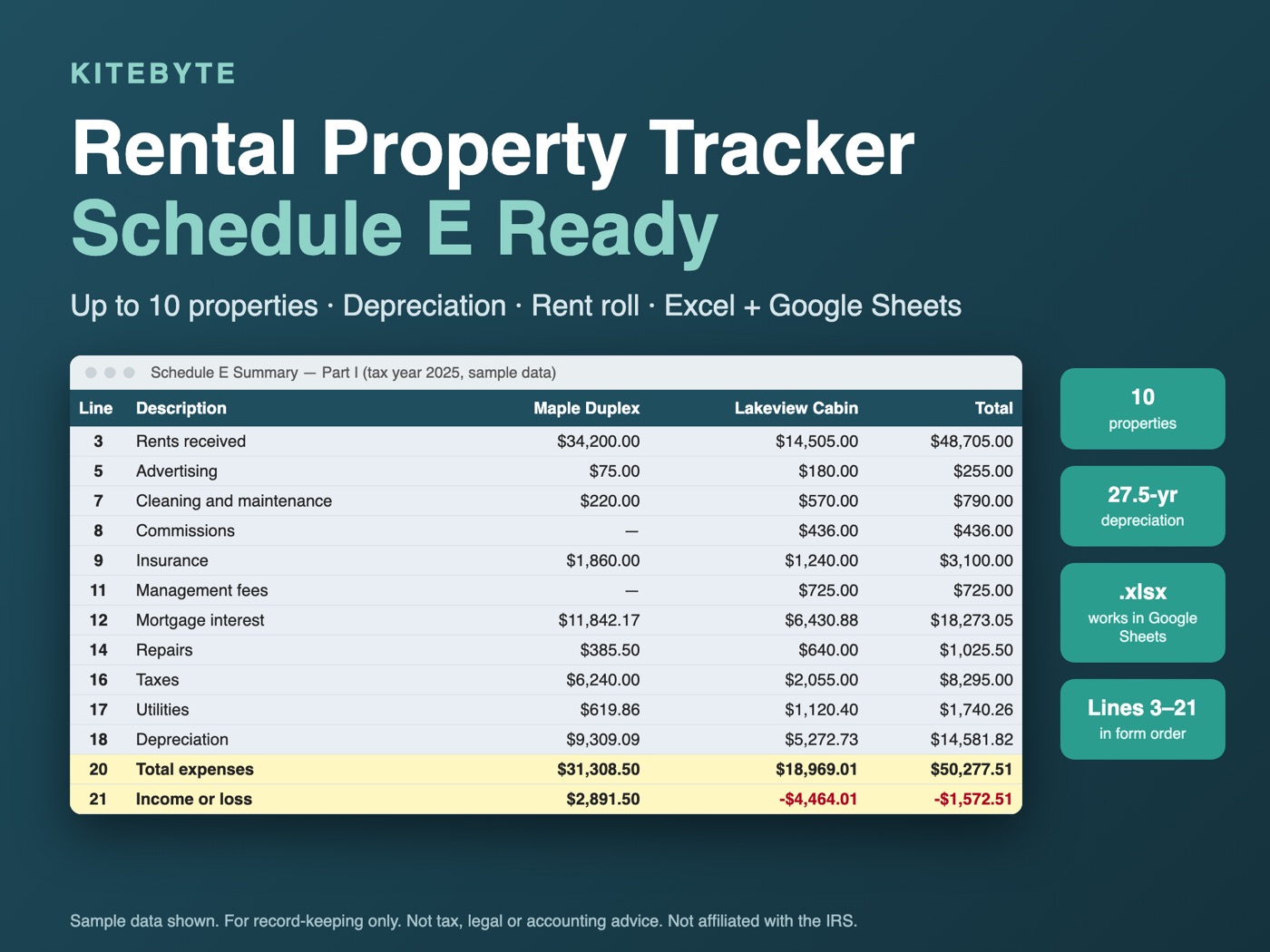
Stop rebuilding your rental books every April. Log rent and expenses once, and the Schedule E Summary sorts everything into the same lines as the IRS form (Part I, lines 3-21), one column per property, ready to copy across.
Who it is for
Small landlords who keep their own books and want one tidy workbook instead of a different spreadsheet per property: people with a handful of rentals, up to 10 properties, who prepare their own Schedule E or want organized numbers to hand to a tax preparer. No subscriptions, no sign-ups, no macros.
What is inside
Schedule E Summary
Lines 3-21 for up to 10 properties, totals included, filtered to the tax year you choose.
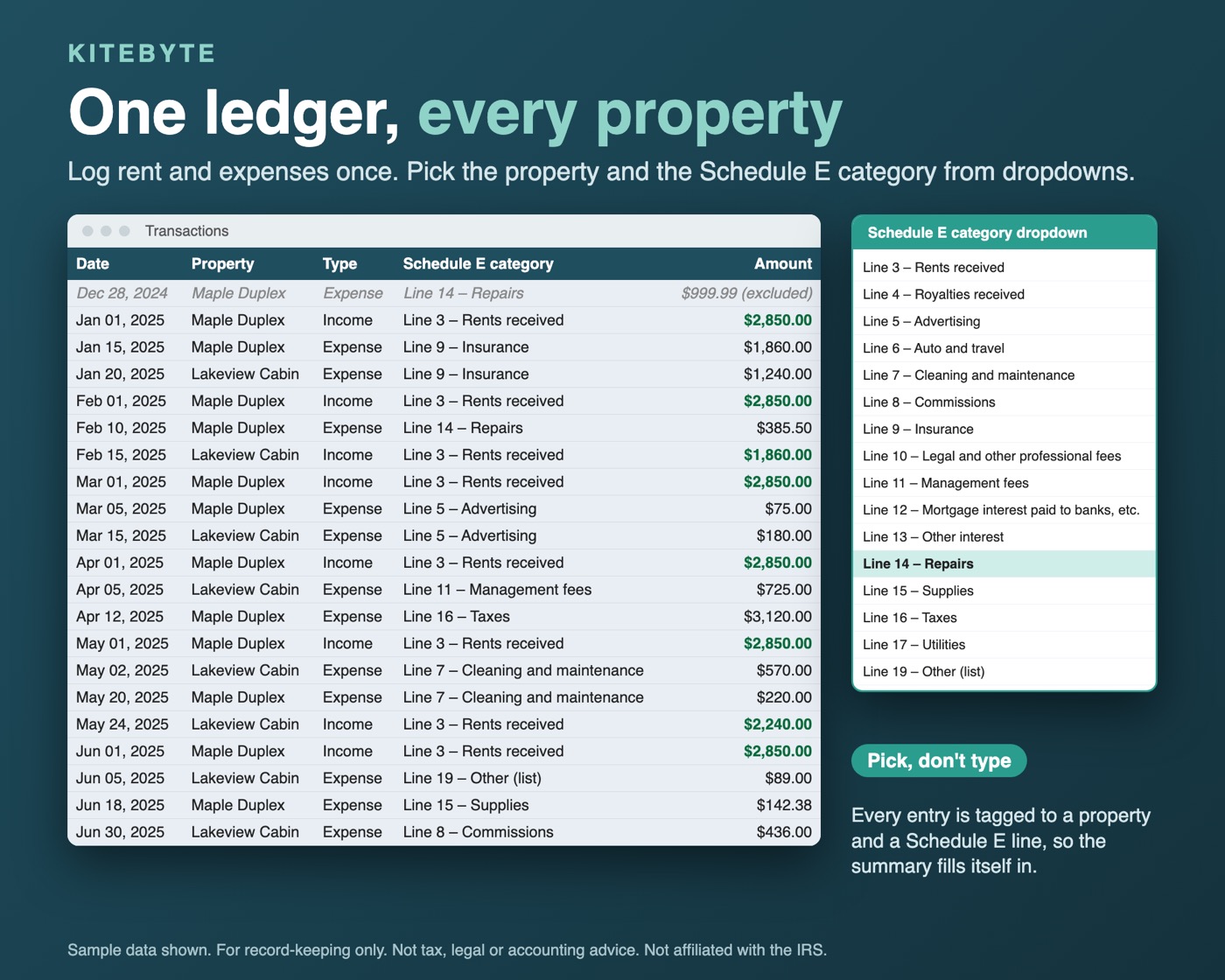
One transaction ledger
Dropdowns for property and Schedule E category, with a check column that catches incomplete or mismatched rows. 2,000 rows.
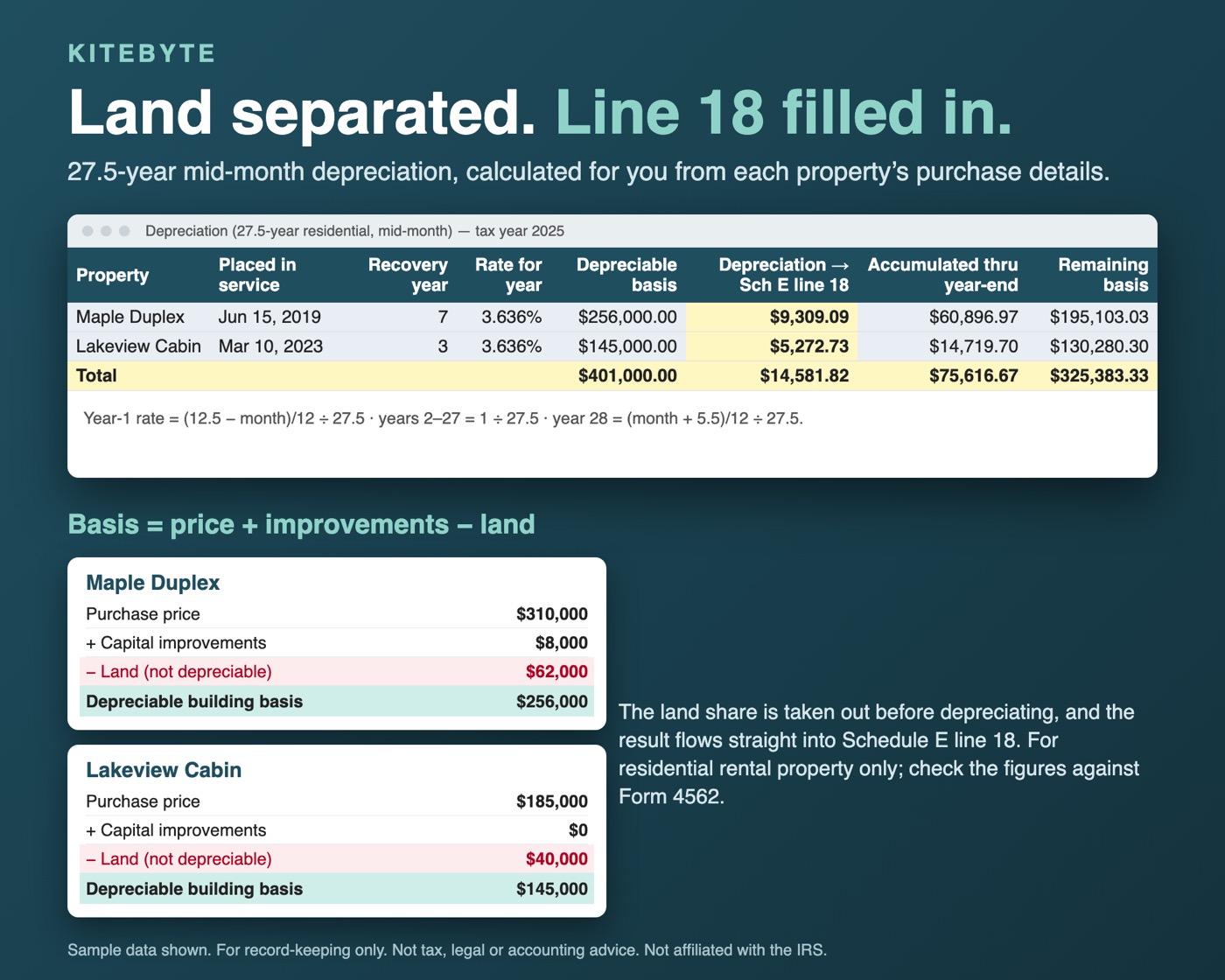
Depreciation schedule
27.5-year residential, mid-month convention, land separated out. Feeds line 18.
Property details
Property type codes 1-8, fair rental days and personal-use days, QJV flag.
Personal Use Check
Plain-language flag when personal use exceeds the greater of 14 days or 10% of fair rental days (vacation-home rules). Informational.
Rent Roll
Paid, Unpaid or Vacant by unit for every month.
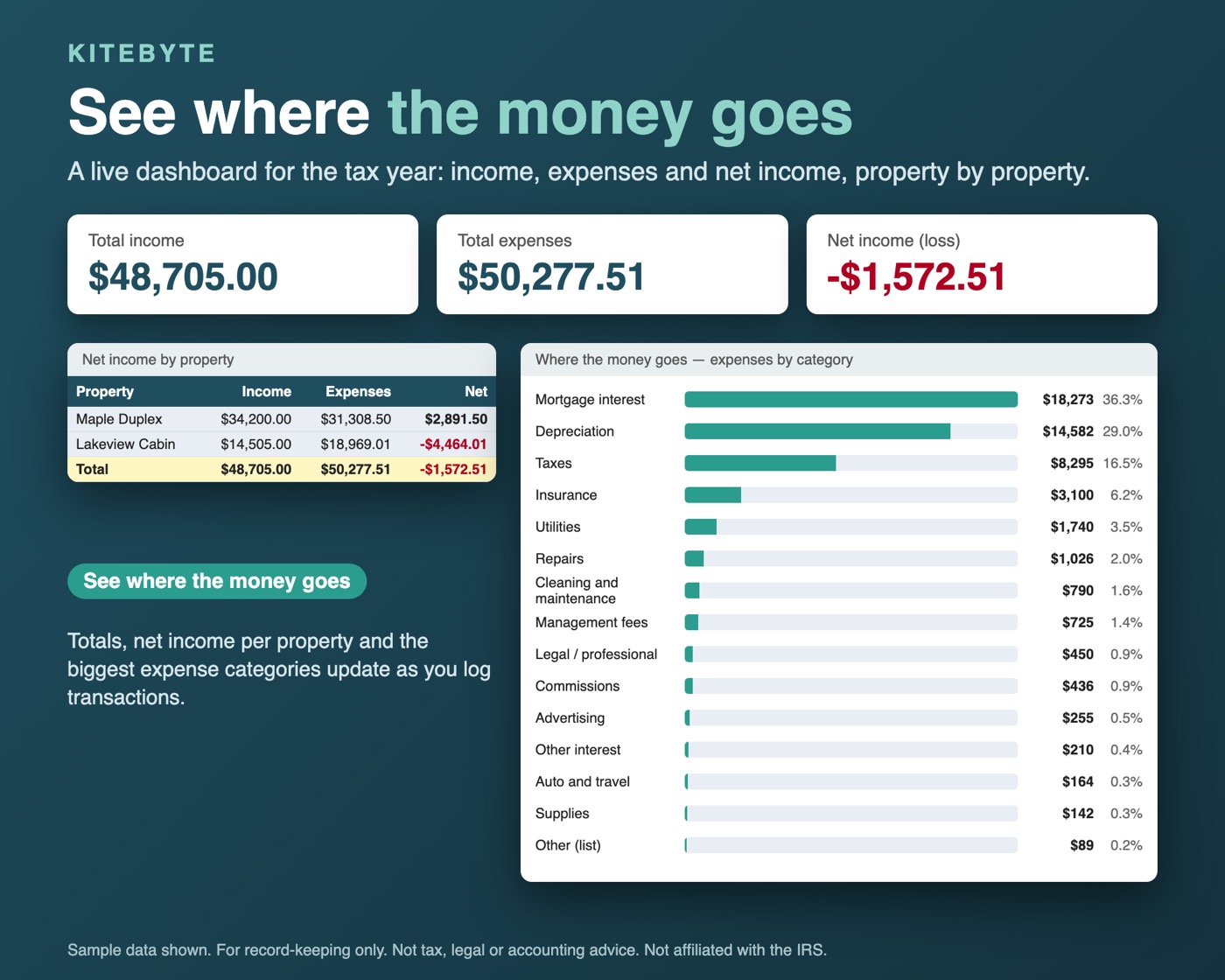
Dashboard
Net income per property, expense breakdown and charts.
Blank + sample + guide
A blank workbook, a fully filled-in sample, and a Quick-Start PDF with Google Sheets import steps.
Good to know
- It organizes your numbers by Schedule E line. Line 22 (loss limitation, Form 8582) is not calculated.
- Depreciation covers residential rental property; commercial (39-year) and other assets can be added in an "Additional depreciation" column.
- Sheet protection is off so you can customize it. Yellow cells are inputs; formula cells are clearly marked.
FAQ
Does it work in Excel and Google Sheets?
It is an Excel .xlsx file and it works in Google Sheets too. The Quick-Start PDF includes the Google Sheets import steps (File > Import > Upload > Replace spreadsheet). It has no macros.
What do I get when I buy?
A blank workbook, a fully filled-in sample workbook so you can see how it works, and a Quick-Start Guide (PDF). It is an instant digital download. There are no subscriptions or sign-ups.
How many properties does it handle?
Up to 10 properties, with a ledger of 2,000 transaction rows. The Schedule E Summary shows one column per property.
Does it calculate my Schedule E or file my taxes?
No. It organizes your income and expenses by Schedule E line (Part I, lines 3-21) so you can copy the totals across. Line 22 (loss limitation, Form 8582) is not calculated.
What does the depreciation schedule cover?
Residential rental property: 27.5-year, mid-month convention, with land separated out. The result feeds line 18. Commercial (39-year) and other assets can be added in an Additional depreciation column.
Is this tax advice?
No. It is for record-keeping only. Verify everything with the official IRS instructions or a tax professional. Kitebyte is not affiliated with the IRS.
Guides
- Schedule E Line 19 Other Expenses: What Goes There and How to Track It
- Rental Property Repairs vs Improvements: How to Log Each Cost
- Rental Property Depreciation Schedule: 27.5-Year Table with a Worked Example
Disclaimer
For record-keeping only. This spreadsheet is not tax, legal or accounting advice. Verify everything with the official IRS instructions or a tax professional. Kitebyte is not affiliated with the IRS.